75% Aluminum Hot-Swap Gaming Keyboard: Wireless/Wired
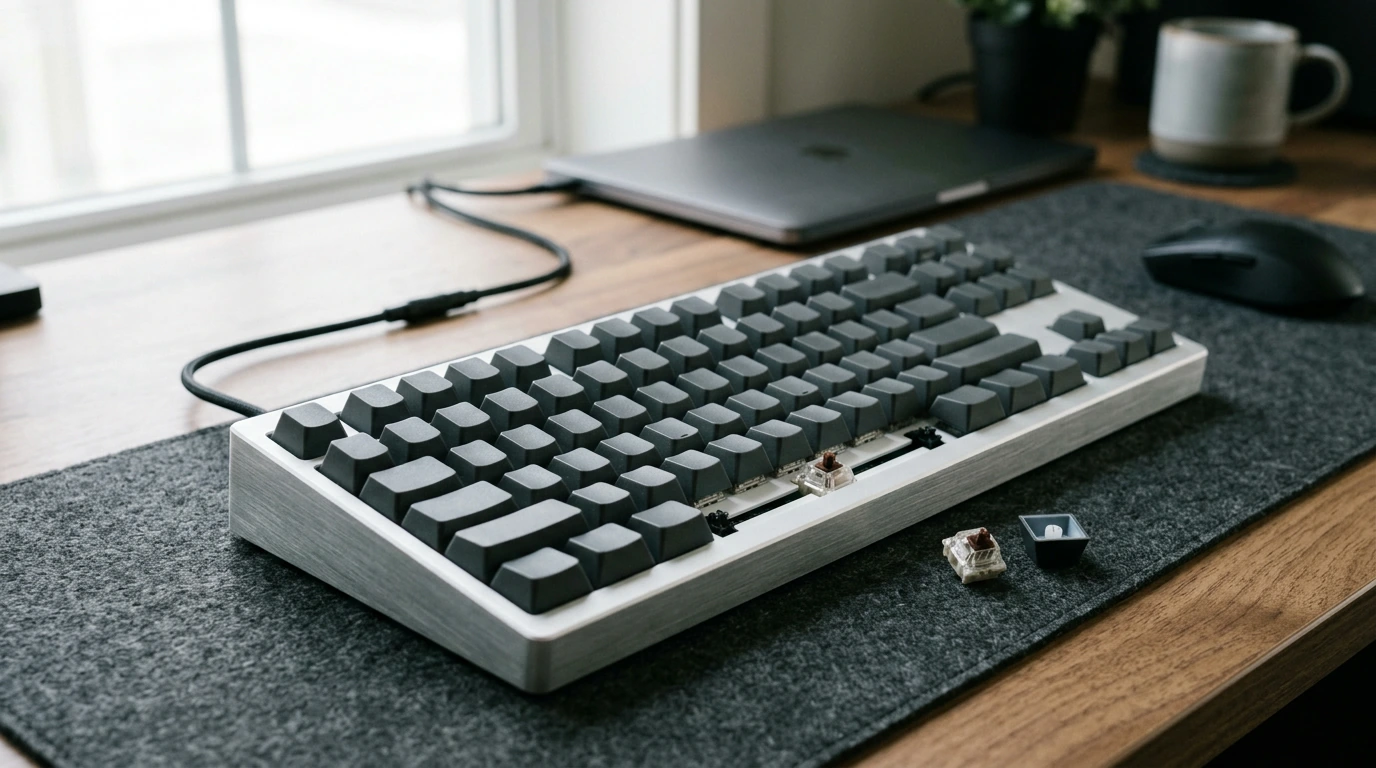
75% Aluminum Mechanical Gaming Keyboard – Hot Swappable, Wireless & Wired
A compact keyboard should feel solid, play fast, and fit the way you actually use your desk. Our 75% aluminum mechanical gaming keyboard delivers a sturdy metal build, a space-saving layout that keeps the keys you reach for most, and the freedom to switch between wireless convenience and wired reliability. Hot-swappable sockets make it easy to tune the feel over time—no soldering, no long downtime—so the board can evolve with your setup.
What a 75% layout does for gaming and daily work
A 75% layout is a practical middle ground: you get a compact footprint without giving up the keys that help you move quickly in games and get work done.
- Keeps the compact feel of a smaller board while retaining a navigation cluster many players and creators rely on.
- Frees up mouse space for lower-sensitivity gaming and cleaner desk movement.
- Reduces reach and strain by bringing frequently used keys closer together without dropping essentials.
- Fits well on shared desks: easier to slide aside, pack, or pair with a laptop/stand.
Aluminum case benefits: stability, feel, and long-term durability
When you’re typing or gaming for hours, the case matters. Aluminum adds weight and rigidity that you notice immediately—especially if you’ve used lighter plastic boards that shift around or flex under pressure.
- Aluminum housing helps minimize flex, keeping keystrokes consistent across the board.
- Extra rigidity can reduce unwanted rattles and desk vibration compared with lighter shells.
- A premium, clean look that pairs well with both gaming setups and workstations.
- Better day-to-day resilience for frequent travel, cable swaps, and heavy use.
Hot-swappable switches: customize without committing
Hot-swap is one of the most useful features you can add to a mechanical keyboard because it keeps your options open. Instead of locking into one switch feel forever, you can make small changes as your preferences (or environment) change.
- Swap switches when preferences change: lighter for speed, heavier for control, or quieter for shared rooms.
- Replace a single switch if it ever starts to feel inconsistent—no need to retire the whole keyboard.
- Experiment with different switch styles across zones (for example, a firmer spacebar switch and lighter alphas).
- Pair switch swaps with keycap changes to refine both feel and sound over time.
Wireless when you want it, wired when it matters
Your routine probably isn’t “wireless only” or “wired only.” Most people end up using both depending on the session. Wireless is great for a clean surface and flexible placement, while wired is perfect when you want maximum consistency and the simplest setup.
- Use wireless mode for a cleaner desk, couch gaming, or quick device switching without unplugging.
- Switch to wired mode for uninterrupted sessions, charging while playing, and a set-it-and-forget-it connection.
- Ideal for mixed routines: wireless during the day, wired for competitive play or long night sessions.
- Practical for multi-device setups—gaming PC, laptop, and tablet—without reworking your cable management each time.
Quick guide: choosing wireless or wired for each moment
| Scenario | Best choice | Why it fits |
|---|---|---|
| Competitive matches or ranked grind | Wired | Stable connection and no battery concerns mid-session |
| Clean desk / minimal cables | Wireless | Keeps the workspace open and uncluttered |
| Working across multiple devices | Wireless | Easier switching and flexible placement |
| Long sessions or charging while playing | Wired | Power and play at the same time |
| LAN events / travel | Wired | Simple, predictable setup anywhere with a USB port |
For background on the standards behind these connections, you can reference the USB Implementers Forum (USB-IF) and the Bluetooth SIG.
How to set it up fast (and keep it feeling sharp)
A great keyboard experience is part layout, part placement, and part basic upkeep. A few small habits go a long way toward keeping your board feeling consistent.
- Start with placement: center the keyboard to your main monitor, then adjust mouse distance to match your sensitivity.
- For wired play, connect directly to the PC for the most straightforward, consistent experience.
- For wireless play, charge fully before longer sessions and keep the receiver/device within a clear line of connection where possible.
- When swapping switches, use a proper switch puller and remove keycaps first to avoid bending pins or stressing sockets.
- Basic care: dust between caps regularly, wipe the aluminum case with a soft cloth, and avoid liquid cleaners near the sockets.
Who this keyboard is made for
- Players who want a compact footprint without giving up a practical set of keys for everyday use.
- Anyone building a premium-feeling setup: aluminum brings weight, stability, and a cleaner finish.
- Tinkerers who like to tune feel and sound over time through hot-swappable switches and keycap changes.
- Gamers who need both modes: wireless convenience for casual play and wired reliability for focused sessions.
Pair it with the rest of your setup
In-stock picks from our store
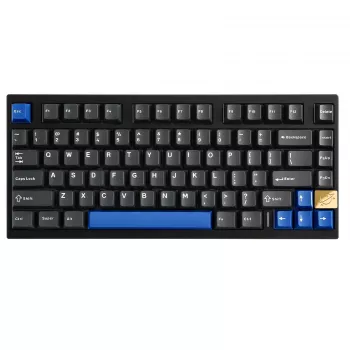
- 75% Aluminum Mechanical Gaming Keyboard – Hot Swappable, Wireless & Wired
- 4K Ultra HD Smart WiFi6 Projector with Auto Focus and Karaoke System
FAQ
What does “hot swappable” mean on a mechanical keyboard?
Hot swappable means you can remove and replace mechanical switches without soldering. It’s useful for customization and quick fixes, as long as you use the right puller and align switch pins carefully when reinstalling.
Is wired or wireless better for gaming?
Wired is ideal when you want the most consistent connection and worry-free long sessions. Wireless is great for a clean setup and flexible placement, and many players switch between both depending on what they’re doing.
Why choose a 75% keyboard instead of full-size?
A 75% keyboard saves desk space and gives you more room for your mouse, which can help with wider, smoother aim adjustments. It also shortens hand travel while keeping commonly used keys, making it a balanced compact option.











Leave a comment